A monday.com app by Stelo Apps

Multi Step Approval Process

An approval process you can see before you commit to it, created by asking for it, that never writes to your board until you say where.

Free. Nothing leaves monday.com.

The problem

Teams on monday.com already ask each other for sign-off, but it happens in comment threads: someone asks “can you approve this?”, three people answer, and a week later nobody can say who agreed to what. This app turns that into a tracked decision on the item itself.

Four things that make it different

Created by asking for it

Through a Sidekick skill, a user says “ask Ana, Tom and Priya to sign off on this, one at a time” and the request is built: approvers resolved by name, order preserved, and whether they decide one at a time or all at once understood from the sentence. No form to fill in.

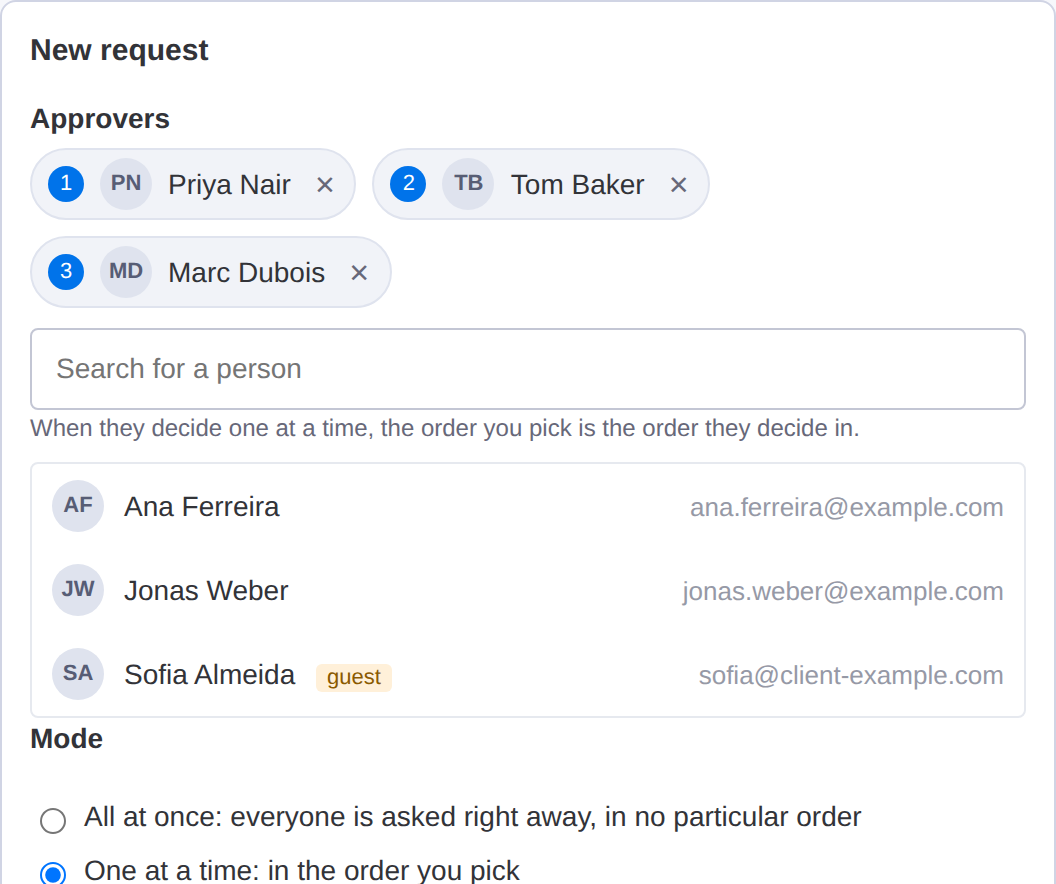
The order is visible before you commit

When approvers decide one at a time, they are numbered as you pick them, so you can review the order before the request exists. It is the one thing you cannot correct afterwards without starting over.

It does not touch your board until you say where

Mirroring the approval state into a status column is opt-in, and you pick the column. With no column chosen, the app writes nothing to your board. On a hiring or contracts board, an app that moves items on its own is precisely what an admin is afraid of.

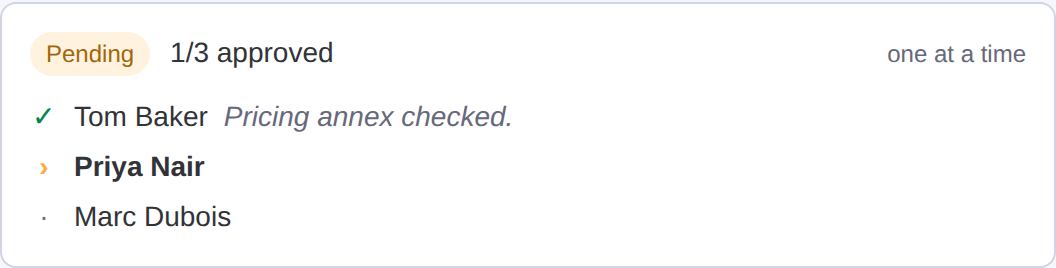
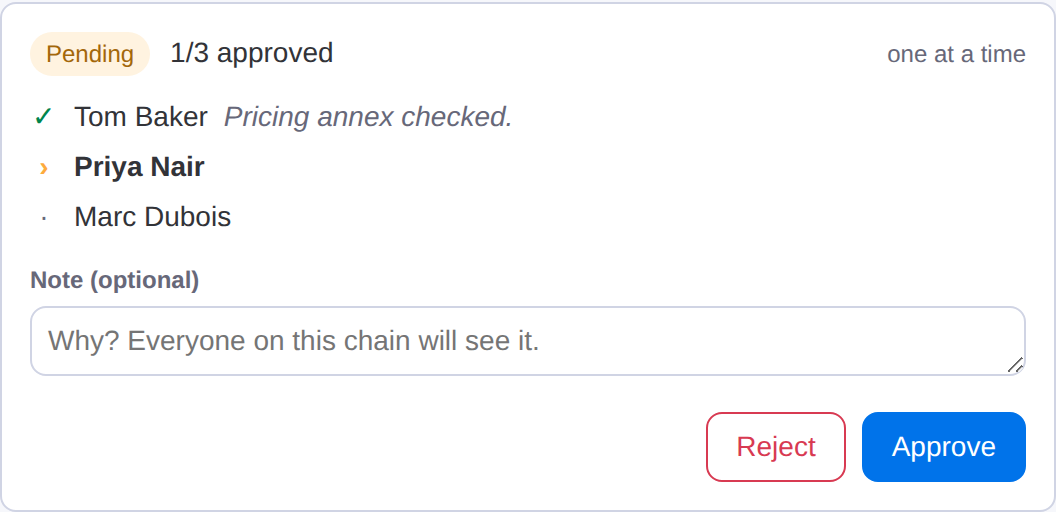
Approve and Reject are shown only to whoever’s turn it is

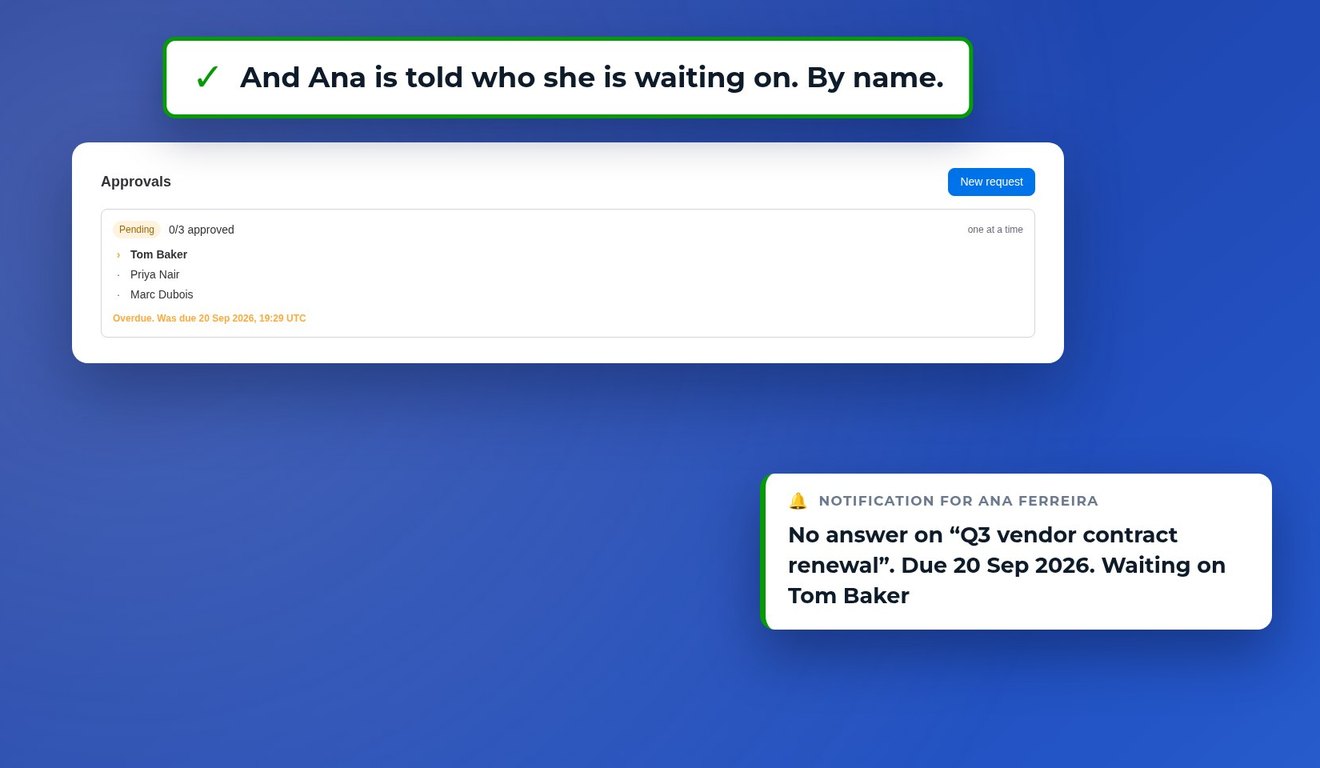
Everyone else sees the current state and who is holding it up. Nobody approves out of order, and nobody wonders whether their click counted.
What it looks like

Two approval requests on the same item: a tick means done, an arrow means it is that person's turn, a dot means still waiting.
Approvers numbered in the order they will decide, before the request is created.
Approve and Reject shown only to the person whose turn it is.

How it works

01

Open any item, pick the people who have to approve, and choose whether they decide all at once or one at a time.

02

The people whose turn it is get notified and see Approve and Reject on the item. Everyone else sees who the request is waiting on.

03

The decision, who made it and when, stays on the item. If you picked a status column, the state is mirrored there too.

Notifications, configurable per board

Five choices, per board: whether approvers are told when it is their turn, whether the requester hears about every decision or only the final outcome, and whether the outcome is posted on the item at all. Each choice saves the moment you make it.

What it does not do

It is worth being straight about the edges.

  • No deadlines or reminders.
  • No quorum — it cannot do “2 out of 3”.
  • No delegation when an approver is away.
  • No export of the approval history.
  • No reusable templates.

These are choices, not oversights. Each one deserves to be designed with real users rather than guessed at, so they wait for the people who actually need them.

Your data

Nothing leaves monday.com: no third-party services, no analytics, no cookies. What the app stores — the request, the approvers, the decisions — is kept in monday’s own SecureStorage, separated by account. Uninstalling the app erases that account’s data.

Privacy Policy